

Developing a mobile application from scratch can be exhausting and often becomes an obstacle for many website owners and entrepreneurs. Fortunately, Web2App technology provides an innovative and simple solution that allows you to convert any website into a fully functional mobile app that works seamlessly across different operating systems.
All you need now is one platform that offers this feature, and there’s no better choice than Felucca.
Felucca platform gives you the opportunity to transform your website into a customized, mobile-friendly application easily, smoothly, and directly, with a wide range of features.
What is the Felucca Platform?
Felucca a focal Point product is a digital platform that allows you to convert websites into mobile applications within minutes — with no programming experience required. The final app can be exported for both Android and iOS devices.
The way Felucca works is extremely simple: after signing up and activating your account, all you need to do is enter the link (URL) of any website. Then, customize the app’s main settings to match your brand identity, and additionally, export it directly as a mobile application.
Felucca offers a variety of useful features and advantages, including:
- Develop mobile applications without any prior coding or development experience
- Choose from a wide range of templates and ready-to-use layouts
- Preview and test your app changes instantly
- Integrate push notification functionality into your app
- Add different types of permissions based on your app’s requirements
- Apply general customizations such as name, icon, Splash screen, description, and more.
How to Use Felucca Platform to Convert a Website into a Mobile App
Using Felucca platform is easy, that’s the main purpose of it: to simplify the process for users.
Start by visiting the official website, then use the option to create an official account on the platform ⛵
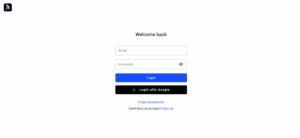
After creating an account or login, the website will take you to the dashboard. From there, you can create a mobile app for your website or view the apps you’ve already made.
Let’s create a new app using the Create App feature:

afterward, start by customizing the primary elements of the app: the name, color, and template… and more.
And let’s not forget the main element, the website link:
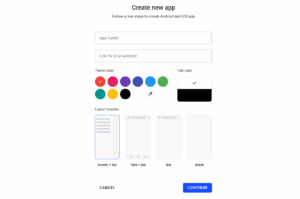
After adding the basic information, the platform will take us to the dashboard to fully customize the app with all its features:
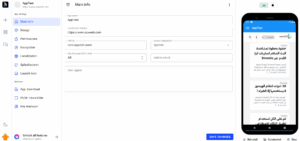
Let’s go over some of the main elements in the primary dashboard:
In the sidebar, there is a Main Info tab. Afterward, you can enter the basic information about your app, such as its name, website link, language, and description.
- The Design feature allows you to customize the template used, add bottom navigation buttons, modify colors, and more.
- The Permission section enables you to define the permissions your app will request from users after installation.
- The Navigation feature lets you add navigation buttons between different screens, in case you want to include additional pages in your app.
- The Localization option helps you define in-app navigation labels, such as back buttons, exit messages, and more.
- The Splash Screen is the first page that appears while the app is loading.
- The Launch Icon button allows you to customize your app’s icon.
- The App Download button lets you download the final version of your app in a format ready to be published on the Google Play Store.
- The Push Newsletter feature enables you to send messages and notifications to users registered in your app.
Finally, the Key Manager option is used to manage the registration and publishing keys for your application.
What Should You Do After Finishing the App Customization?
After finishing the app customization to your preference, go to the App Download tab, then click on the New Build option:
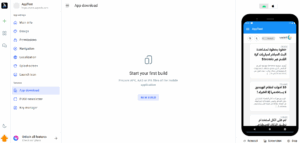
When you click the button, the app will take you to a dedicated tab for building the application in a way that makes it publishable on app stores.
As a result, you’ll have a ready-to-use app for any website.
Conclusion:
The ease of using the Felucca platform to create custom mobile apps is truly remarkable. All you need to do is register an account, then customize the app to match your taste and shape it according to your requirements. Finally, export the app for both Android and iOS.